Microsoft 365 Scripts

Microsoft 365 scripts repository

All Posts
News
Security
Microsoft 365
Microsoft Teams
Exchange Online
SharePoint Online
The smarter way to manage Microsoft 365. Try AdminDroid for free!

Microsoft 365 Scripts

m365scripts.com

Browsed by Month

February 2023

Sudha
February 22, 2023
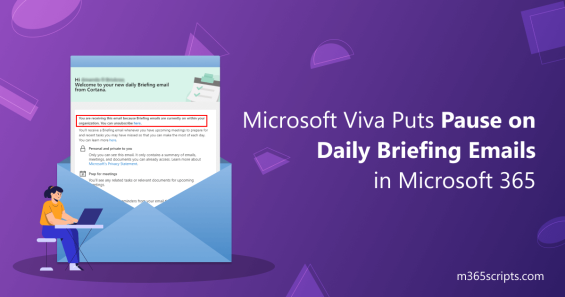
Microsoft Viva Puts Pause on Daily Briefing Emails in Microsoft 365

Microsoft Viva Puts Pause on Daily Briefing Emails in Microsoft 365

Microsoft Viva paused briefing emails to improve personalization and user experience. Access alternative features like semi-monthly digest emails and Viva Insights dashboard for work pattern summaries. Monitor focus time, collaboration metrics, and productivity recommendations while awaiting enhanced briefing email capabilities.

News

Shan
February 15, 2023
Improve External Collaboration with Microsoft Teams Connect Shared Channels

Improve External Collaboration with Microsoft Teams Connect Shared Channels

Create Microsoft Teams shared channels for external collaboration without switching tenants. Enable Azure AD B2B connect to collaborate with external organizations while maintaining access to internal conversations and files. Add external members directly to shared channels for seamless cross-organization teamwork.

Microsoft 365
M365Scripts Content Team
February 10, 2023
How to Map a Network Drive to SharePoint Library

How to Map a Network Drive to SharePoint Library

Map network drives to SharePoint document libraries and OneDrive for direct File Explorer access. Enable traditional drive letter navigation to cloud storage without sync client limitations. Access shared files and collaborate through familiar Windows Explorer interface for legacy application compatibility.

Microsoft 365
Praba
February 2, 2023
Complete Guide on Migrating the Safe Links Block List to Tenant Allow/Block List

Complete Guide on Migrating the Safe Links Block List to Tenant Allow/Block List

Migrate Safe Links Block List entries to Tenant Allow/Block List before retirement deadline. Manually review and transfer blocked URLs to TABL using Microsoft 365 Defender Portal or PowerShell. Understand that migrated entries will quarantine messages with blocked URLs instead of blocking at click time.

Exchange Online

Recent Posts

  • How to Connect a Team Site to a Microsoft 365 Group
  • How to Revoke User Sessions Using Microsoft Entra ID
  • How to Set Up Draft Item Security in SharePoint Online
  • Manage User Deletions in Microsoft 365 Using PowerShell
  • Use Quick Steps in SharePoint Online to Automate Repetitive Tasks

Sign up for M365Scripts

AdminDroid
One tool solution for complete Microsoft 365 Management

Automate, audit, and more in one place.

Get Started for Free