Microsoft 365 Scripts

Microsoft 365 scripts repository

All Posts
News
Security
Microsoft 365
Microsoft Teams
Exchange Online
SharePoint Online
The smarter way to manage Microsoft 365. Try AdminDroid for free!

Microsoft 365 Scripts

m365scripts.com

Browsed by Month

April 2023

Sudha
April 27, 2023
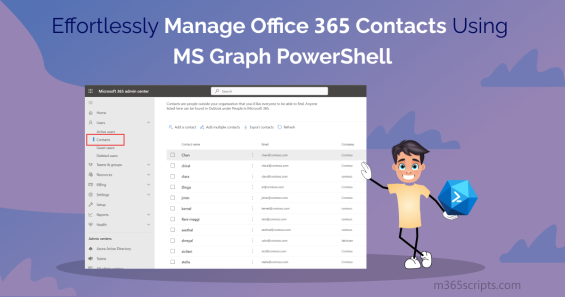
Effortlessly Manage Office 365 Contacts Using MS Graph PowerShell

Effortlessly Manage Office 365 Contacts Using MS Graph PowerShell

Manage Office 365 external contacts using Microsoft Graph PowerShell for efficient administration. Retrieve, create, update, and delete organizational contacts programmatically. Monitor contact information regularly to maintain accuracy, enhance security, and ensure seamless collaboration with external colleagues and partners.

Exchange Online
Thiraviam
April 27, 2023
A Guide to Manage SharePoint Online Users and Groups with PowerShell

A Guide to Manage SharePoint Online Users and Groups with PowerShell

Manage SharePoint Online users and groups using PowerShell for efficient site administration. Create site groups, update permissions, add users to SharePoint groups, and perform bulk operations. Connect to SharePoint Online PowerShell module as global or SharePoint administrator for comprehensive access management.

SharePoint Online
Thiraviam
April 26, 2023
A Step-by-Step Guide to Export Office 365 Mailbox to PST

A Step-by-Step Guide to Export Office 365 Mailbox to PST

Export Office 365 mailboxes to PST format using eDiscovery for backup, migration, and compliance purposes. Access mailbox data offline through Microsoft Purview compliance portal with eDiscovery admin permissions. Create portable backups for departing employees or legal investigations with compatible PST files.

Exchange Online
Sudha
April 19, 2023
Manage SharePoint Recycle Bin Effectively Using PowerShell

Manage SharePoint Recycle Bin Effectively Using PowerShell

Manage SharePoint Online Recycle Bin using PowerShell for efficient recovery and cleanup operations. Restore accidentally deleted items from first-stage and second-stage recycle bins within the 93-day retention period. Perform bulk operations on deleted files, lists, and libraries across multiple sites.

Microsoft 365
Praba
April 18, 2023
Connect to SharePoint Online Using PNP PowerShell

Connect to SharePoint Online Using PNP PowerShell

Connect to SharePoint Online using PnP PowerShell for advanced automation and administration tasks. Install the PnP.PowerShell module to access comprehensive cmdlets beyond standard SharePoint Online Management Shell capabilities. Leverage Client-Side Object Model for efficient scripting and site management.

Microsoft 365
Thiraviam
April 17, 2023
Top 10 Cmdlets to Manage Teams Using Microsoft Graph PowerShell

Top 10 Cmdlets to Manage Teams Using Microsoft Graph PowerShell

Manage Microsoft Teams using Graph PowerShell with essential cmdlets for team administration. Create teams, update properties, manage members and channels, configure tabs, and control team settings. Connect with appropriate scopes for comprehensive Teams management through Microsoft Graph API integration.

Microsoft 365
Praba
April 13, 2023
Manage SharePoint Hub Sites Using PowerShell

Manage SharePoint Hub Sites Using PowerShell

Manage SharePoint hub sites using PowerShell for centralized navigation and consistent branding across site collections. Create hub sites, register existing sites, associate child sites, and configure hub permissions. Control theme inheritance, search functionality, and information sharing across connected SharePoint sites.

SharePoint Online
Praba
April 11, 2023
Intelligent Meeting Recap in Microsoft Teams

Intelligent Meeting Recap in Microsoft Teams

Utilize Intelligent Recap in Microsoft Teams meetings for AI-powered summaries of recordings and transcriptions. Access automatically generated chapters, suggested tasks, and action items without watching entire recordings. Teams Premium users gain enhanced features including personalized insights and speaker highlights.

Microsoft Teams
Praba
April 5, 2023
Microsoft Teams Brings Green Screen Feature for Meetings!

Microsoft Teams Brings Green Screen Feature for Meetings!

Enable Microsoft Teams green screen feature for enhanced virtual background clarity during video calls. Configure Teams Public Preview to access improved background effects that provide better definition around faces and displayed objects. Ensure solid-colored backdrops for optimal green screen performance in meetings.

Microsoft Teams
Thiraviam
April 4, 2023
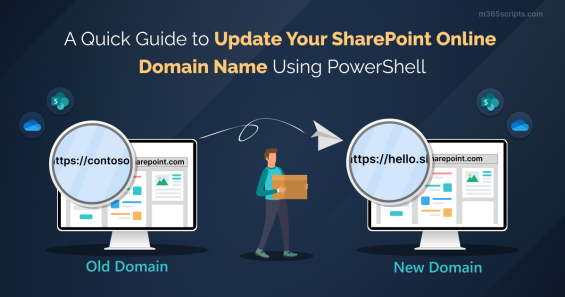
A Guide to Change SharePoint Domain Name Using PowerShell

A Guide to Change SharePoint Domain Name Using PowerShell

Change SharePoint domain name using PowerShell when rebranding or restructuring your Microsoft 365 tenant. Rename the default SharePoint URL to match your organization's custom domain. Verify domain availability and complete the renaming process through SharePoint Online Management Shell cmdlets.

Microsoft 365

Recent Posts

  • Bulk Manage Group Members in Microsoft Entra ID
  • Shared Calendars in Outlook
  • How to Connect a Team Site to a Microsoft 365 Group
  • How to Revoke User Sessions Using Microsoft Entra ID
  • How to Set Up Draft Item Security in SharePoint Online

Sign up for M365Scripts

AdminDroid
One tool solution for complete Microsoft 365 Management

Automate, audit, and more in one place.

Get Started for Free